Setup
If you haven't installed the plugin yet, please do so first by following the Instalation guide.
Before adding the first brush, you need to perform two steps:
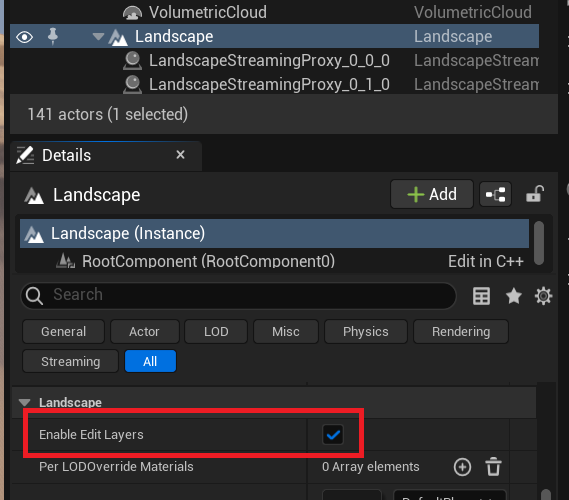
- Make sure the landscape actor has
Enable Edit Layerschecked
- Create a new
Landscape Edit Layerfor Errant Landscape.- Enter the
Errant LandscapeEditor mode - Switch to the
Create Tool - Click
Create a New Errant Layerbutton
- Enter the
Edit Layer Order
Although there is no universally optimal layer order, the recommended Edit Layer setup when using multiple Errant plugins is:
- Errant Biomes
- Errant Paths
- Errant Landscape
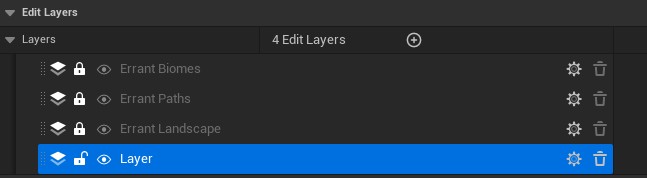
In this configuration, Errant Landscape defines the base terrain, Errant Paths modifies it for road placement, and Errant Biomes spawns content on top.