Upgrading to 1.1 version
Once you upgrade the plugin to version 1.1, follow the below instructions to update the assets and benefit from the new features.
Landscape Adjustment Spline
One of the less known features of Errant Paths was that meshes in PathTemplate could alter the landscape adjustment spline (e.g. zig-zag shape) if their AffectsLandscapeBiomesAdjustmentSpline property was set. This added unnecessary complexity to our codebase and wasn't intuitive, so we decided to replace this feature with a more elegant solution.
Starting with Errant Paths 1.1, landscape adjustment is now defined in a dedicated spline - EpLandscapeAdjustmentSplineComponent. This allows you to manage its shape directly, add multiple adjustment splines within a single PathTemplate, as well as set SpawnConditions for the adjustment splines.
Configuring landscape adjustment via PathSplines is still supported but is deprecated and will be removed in the next release.
Using both PathSplines and LandscapeAdjustmentSplines for the same Path may result in two independent, overlapping adjustments, where one overrides or alters the other.
To prevent conflicts, update all assets to use LandscapeAdjustmentSplines exclusively.
To make the transition easier, we added a batch tool that processes all the PathTemplates and replaces adjustment configured in PathSplines with the new adjustment spline. To run this tool, click on the notification that shows up when you open the Errant Paths Editor Mode after the plugin upgrade. Or you can enter Project Settings -> Errant Paths and select bBatchUpgradePathTemplates checkbox.
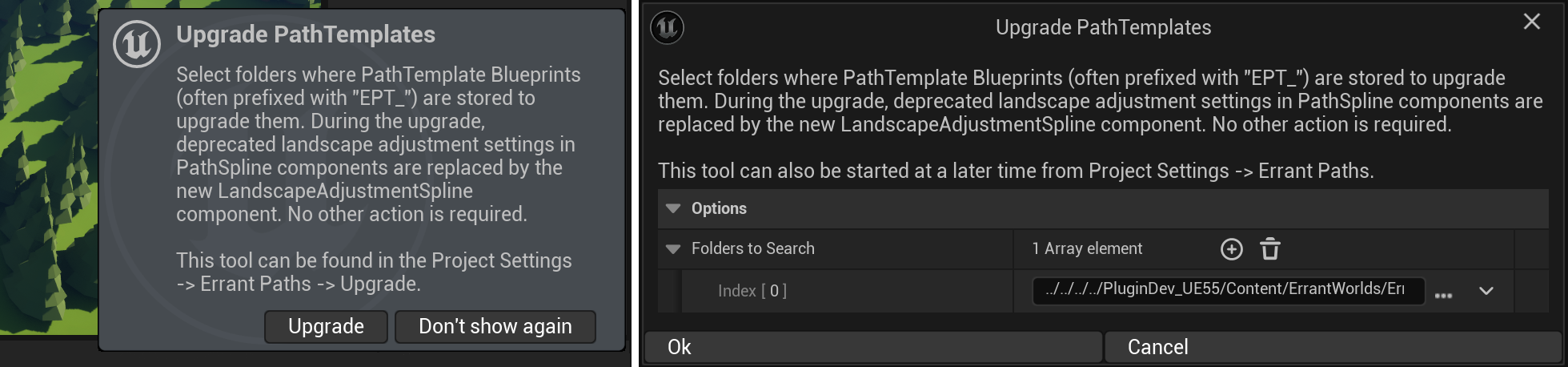
After the batch tool finishes processing, a new LandscapeAdjustmentSpline component should be added to PathTemplates that had adjustment configured in the PathSpline previously. PathSplines' adjustment settings will be cleared.
PathLayer Override Deprecation
We deprecated PathLayerOverride and we plan to remove this feature in the next plugin version. A warning icon now appears if PathLayerOverride is enabled.
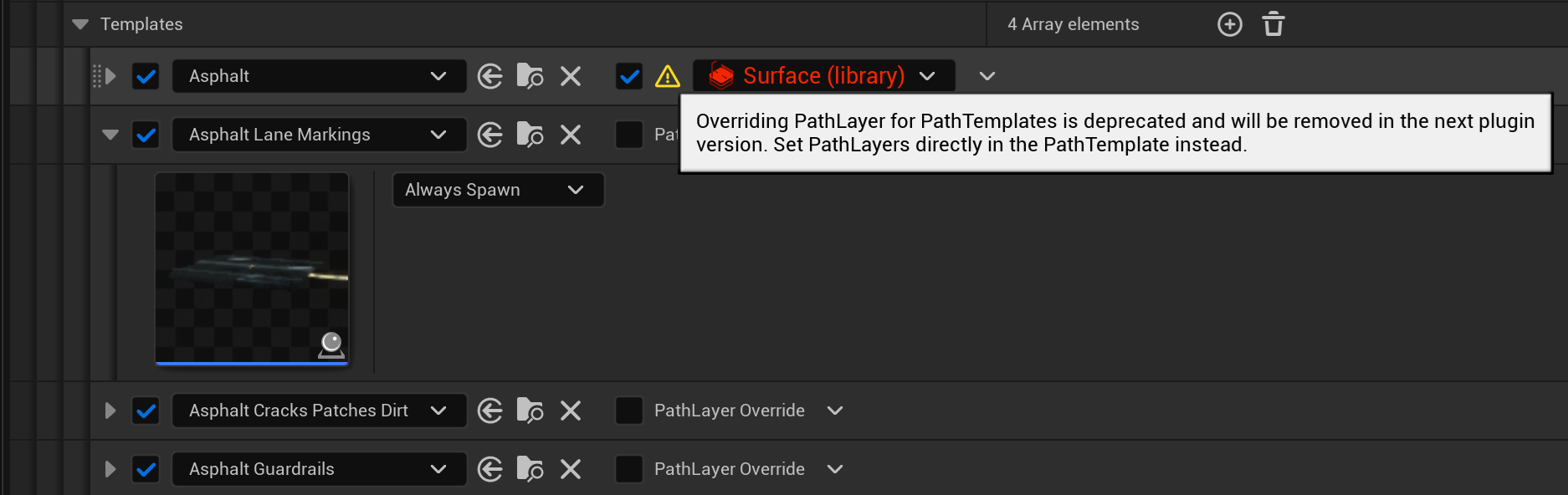
The override was originally required for assets created before the EP 1.0 release, when PathLayers could not be assigned to individual components. Beyond that use case, it offers little benefit while adding complexity and cluttering the UI.
Please, configure PathLayers directly in the PathTemplate instead.
We plan to release a new version of the AssetLibrary that doesn't use the override.
SpawnOrder Restrictions
Child components must now have an equal or higher SpawnOrder than their parents. In other words, they cannot be configured to spawn before their parent components.
Previously, such setups were allowed, but they forced the plugin to spawn multiple copies of the parents - some temporary (removed at the end of generation) and some permanent. The change is not primarily about performance. Instead, it is meant to eliminate complex, hard-to-debug edge cases where temporary components add or read Tags at different stages of generation, interfering with other components that also rely on Tags. This applies to features such as Spawning at Interval, Attachments, Spawning Multiple Copies, and more.
A Blueprint compilation error is now shown when child components use a lower SpawnOrder than their parents.